Knowledge
Exhibit Python scripting language knowledge and examples of Shell scripting (Code Academy). Also, any application specific scripting languages e.g. Mel, Vex, Hscript etc. as appropriate. Explain the principles of software development and how pipeline management tools are used within the industry and how to create efficiencies to the benefit of the business.
Skills
Confirm the ability to write good quality code (logic) with sound syntax in at least one language. Examples of troubleshooting individual artist/TD input, output or archival problems. Spell out support or troubleshoot pipeline and workflow tools. Describe in detail the document tools/development you have used or are using. Show you can develop small-scale tools, using existing pipeline frameworks and libraries with examples or references should include screenshots; photos or clips
Knowledge
The scripting language Python and Vex are tools I have been slowly working on learning alongside my progression in more general 3D techniques. Whereas my Python learnings have mostly taken place on Code Academy, an online learning tool for scripting languages. Below is a screenshot example of me completing on of the many online lesson provided by CodeAcademy. I was able to learn the most commonly used and understood syntax such as ‘print’, ‘arrays’ and how to declare and use variables when writing scripts. This was also useful when interacting with Vex and MEL as they share many fundamental ideas.
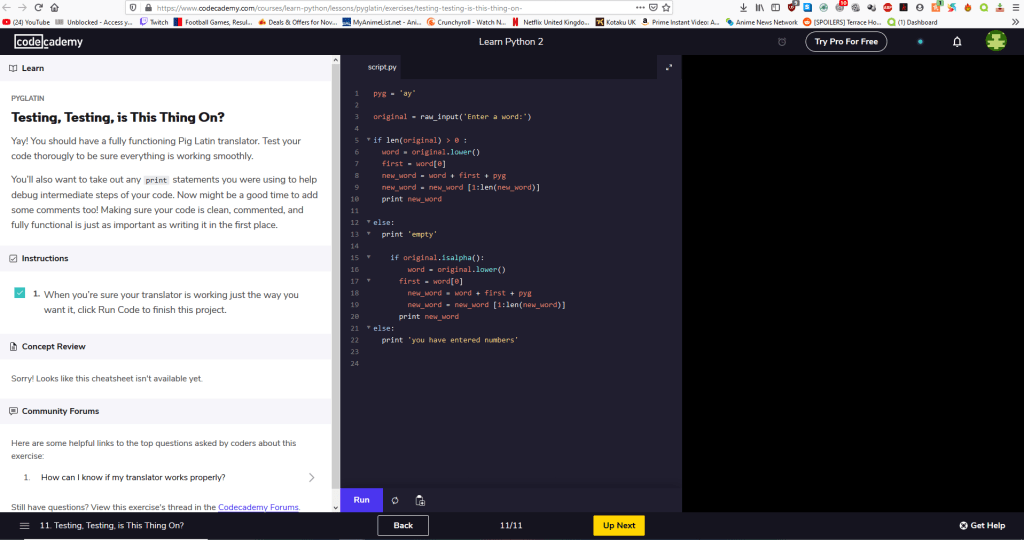
I have been learning Vex through the exploration into the field of FX and the software Houdini. I have implemented some of my learnings into attempting some MEL script in Maya for very basic tools to varying degrees of success. My experiments with Vex have been far more varied and successful. I have used wrangles in the majority of my personal and professional projects to create different FX. My grasp on Vex can somewhat be attributed to my growing understanding in Python at the same time. I am able to see more of the similarities and differences. A lot Vex language syntax and changing syntax uses are documented on the SideFx Houdini website which has also helped me learn quicker. My surrounding colleagues at The Mill have been invaluable to my current understanding also. I often take ideas from previous experiments and implement them into new projects when applicable whereas at the beginning I wouldn’t even be able to identify what the wrangle was contributing to a node chain in a Houdini project.
Skills
I have used vex in large and small ways to enhance FX I have worked on. Using theses opportunities to practice scripting languages to add to projects. I have found that especially in Houdini due to its procedural nature having a Vex node such as a wrangle is an effective and very pipeline friendly way of implementing scripting because it allows for small changes to values or coordinates of direction to be greatly powerful but also non destructive. This is also effective in learning because you can contain the location of your issues to a single node and work with in it to find solutions and experiment without breaking an entire asset or tool your are creating. I also have experimented with VOPs which our visual Vex Operators in node form similar to Maya’s Hypershade node editor. Using these VOP nodes also helps the learning process as I can visually lay out what could have been script. It is not a one to one comparison but can give an indication of how to write it out in Vex script.
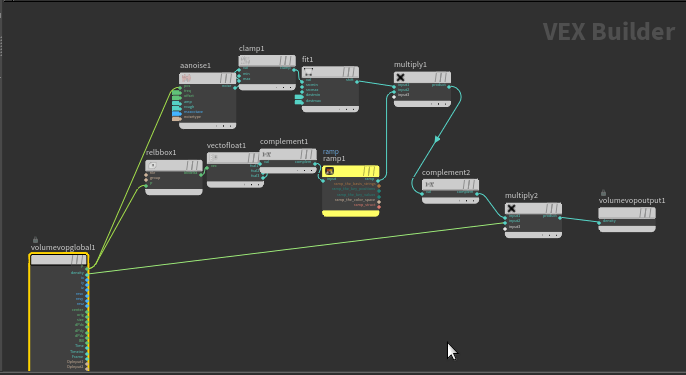
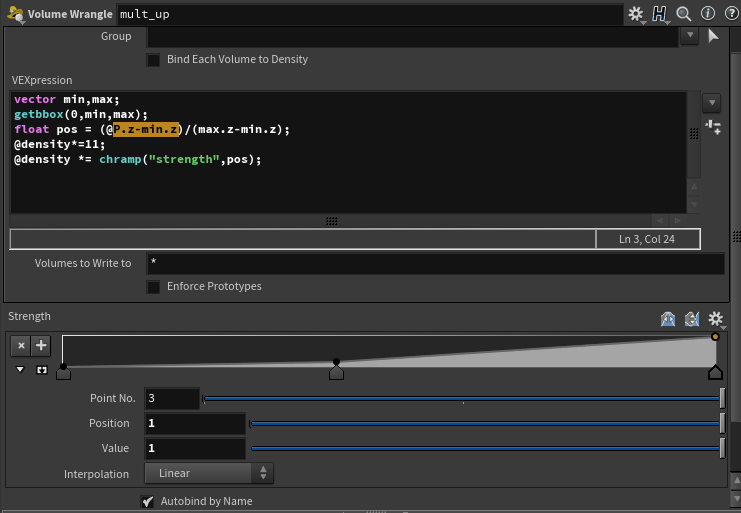
An example of when I have used both in tandem is on the Three Job where I created some spaceship thrusters. I had help creating a volume VOP that ran noise through a predetermined shape turned into a volume. Following that node I was using a wrangle that multiplied the previous VOPs effectiveness but on a user controlled ramp that allowed for precise tuning and control of where the multiplication effected.
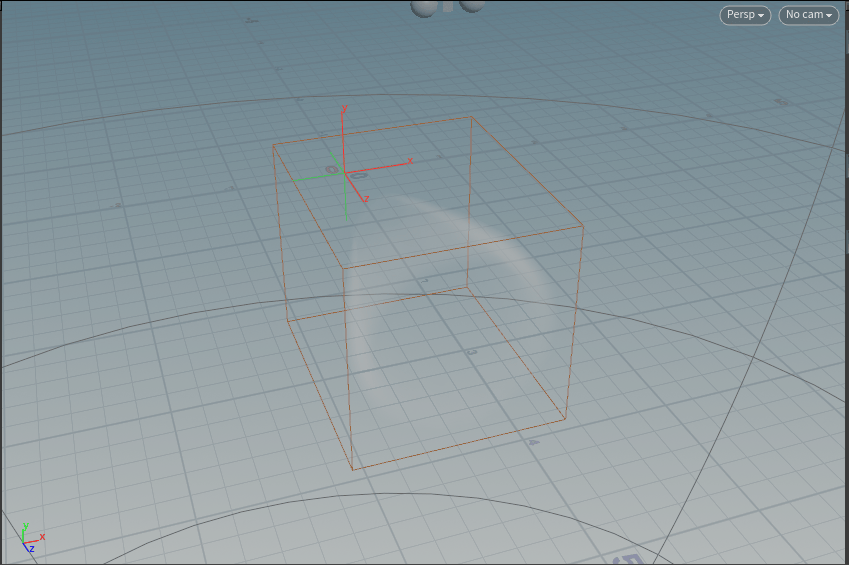
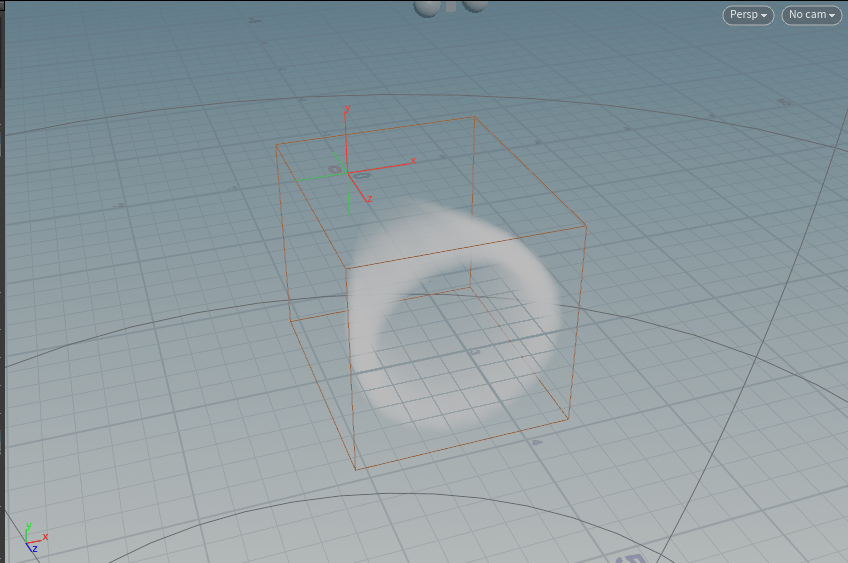
I had to tweak many parts of this asset to get it to a place that the lead desired. My instructions were quite vague at first. They were “fire but not fire”, so i experimented with particles instead of volumes that I had been given as a starting point for thrusters usually. When using particles I went for a ,ore halo’d look that pulsed using a CHOPs network. Then tweaking the aesthetic through different thicknesses of volumes to create dense cloudier ‘fire’ thrusters too. This was which was easily controlled through the scripted ramp for density as I could taper it in a thruster style as well. It was a troubleshooting task as the look was determined by this in the end. I constructed several versions trying to trouble shoot the position attribute in the script. I used some far simpler attempted methods initially and through feedback form the Head of FX I was guided to the solution of using the bounding box.
A tool I was fortunate to observe was the creation of was the scripting development of the procedural buildings to be used on a Hp job. These buildings were to replace the backgrounds buildings seen through the windows in the ad. This was created by Rob a senior artist with many years of experience in Houdini. He first began collating many previs building models in the Mill’s large library of assets. He then brought them all in to Houdini and assigned he all separate IDs hat would be used to identify them in the script. He also created an attribute that he used to define the size of the buildings to make sure that their was variations of building size however large the area populated. The script was written in a wrangle node after a grid node. The grid would be used to decide what area was to be populated. The end result was a completely procedural building populator. The parameters were adjustable by grid size, density of population which allowed the script to populate with smaller buildings to for more in, a reseed option to re generate the population and more. In the end a different method was used to populate the city as it was discovered their was a previously built generator for Maya where the job was being rendered in. This was unfortunate for Rob but i was very happy to be fortunate enough to witness his scripting knowledge and troubleshooting ability. Seeing someone of his experience work so doggedly on a script attempted to bug fix and solve the many problems he faced attempted to create it gave me confidence I could one day do the same. My role on the job was mostly rendering the buildings pass to be underlay composited through the windows. I also did the HDRI creation and projections for lighting for every location.