Knowledge
Put into words the importance of and techniques for managing large scale on-line and near-line data storage and digital images and manipulation techniques.
Skills
Demonstrate you know how to use disk management and general processes for the movement of data around the internal system. How to convert, resize and rename various file types. Monitor, track and report data usage. Identify data for archival, removal and undertake final archiving and subsequent data restoration from archives.
Knowledge
Managing large scale data amounts is of obvious importance to Post production houses as they deal with large file sizes at every stage of delivering their projects. It is important for companies to be able to keep storage space available for new jobs when they arrive. Usually companies will keep the jobs and their files available for as long as they are still active and a small while after. When the job is completed and no further work will be done on it the job is identified for archival and stored in near line storage. This is important because it can be accessed later if needed by artist but isn’t using the same data storage means as the artists need primarily to operate. The artists are able to continually crate data when working without fear of running out of data due to long passed exploits
The offline storage is held physically in a vault. This a room locked 24/7 only accessible by the staff in that department and artist by request and handled by said staff. On jobs that a collaborated with other studios or sister companies of the Mill. Hardrives of current projects that have been completed are transported to those studios. The hardrive is wrapped in plastic and labelled. Transported by a runner from the client series team as I have done many times and requires a signature on arrival and transaction to confirm the company has received it.
For NDA projects the runner must sign a form stating they understand this on top of the overall NDA in their contract. That runner is then the only runner allowed to transport drives pertaining to that job until its completion to keep the NDA regulations as tight as potentially possible. The rooms in which NDA jobs take place are also kept locked at all times with an alarm on the door when it has been open for longer than 8 seconds. This is to safeguard the potential for anyone from inside or out of the company coming being able to record and sensitive information. Furthermore the room have large boards across the entrance of the room for when the door is opened that no one outside ca see what is even being worked on. On the job timetable accessible by all artists and most staff NDA jobs are code named to not give away what is being worked on. I can’t say too much more for security reasons and leaving the company potentially prone to hacking and intrusion.
Another way data is organised is through optimisation of resources. I have experienced this as an ATD in both 3D and FX departments particularly. In 3D many times i got carried away when texturing objects that requited a lot of screen time or were going to be very close to screen such as a dog collar previously mentioned. I had used several UDIM tiles for the UV shells to try and give them as much space as possible for higher resolutions. I was then shown I was wasting data and resource space in many small ways, by doing this so often. Their were ways to unwrap which would lead to the same levels of resolution and therefore was a way to optimise my data usage.
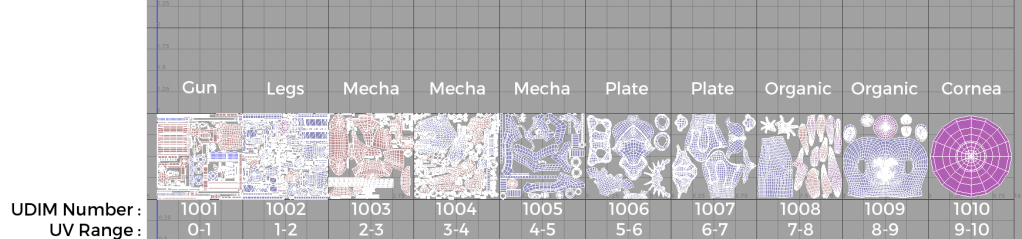
In FX you can always optimise your solutions. I have seven previously shown other new to FX junior artists how I optimise my data usage. One of my methods is to keep a simulation that uses scattering of many points to a lower value of points when testing flow and aesthetic look. Doing this will not only give quicker results with less strain on CPU power and processing but you may find you can achieve the FX you want with less particles then previously thought with more clarity of movement. An alternative to this is to composite extra FX into a base effect after the fact once your movement and and look is correct for even further potential optimisation. This is especially useful with background FX that don’t need to be as high resolution by their very nature.
Unstructured data would be most of the files we deal with on a day to day basis. It is easily accessed through Miasma which I have outlined in other posts. Miasma sorts all of the unstructured data files in structured databases. They are named correctly when setting up the databases so that miasma can keep the database appropriately named from then on. maintaining the database and adhering to the pipeline conventions is important to the smoothness of the project. This includes versioning on data already created. The files picked up by each artist may have versions. It is important to check the you are picking up and working on the most up to date version of the file. this data basing system, Miasma enacts version control with a clear UI to maintain version control.
Skills
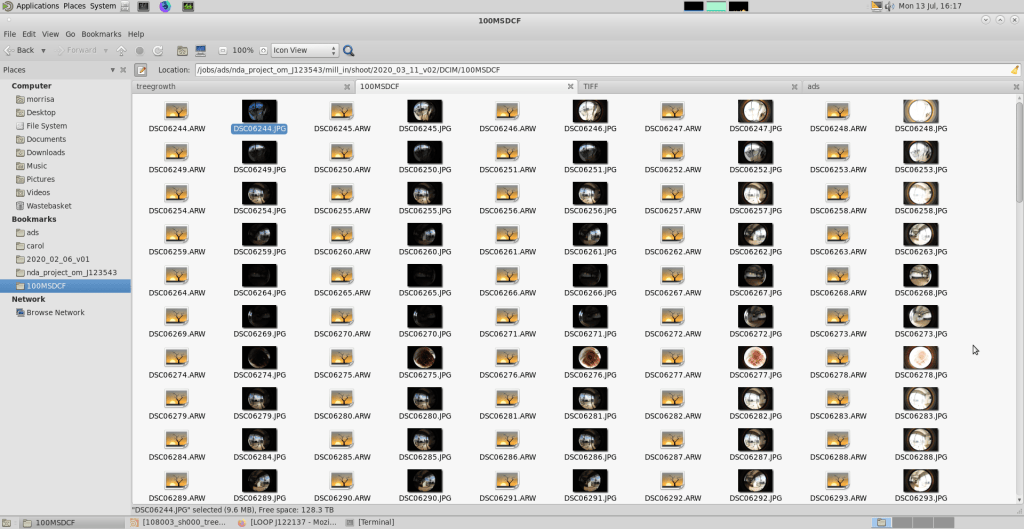
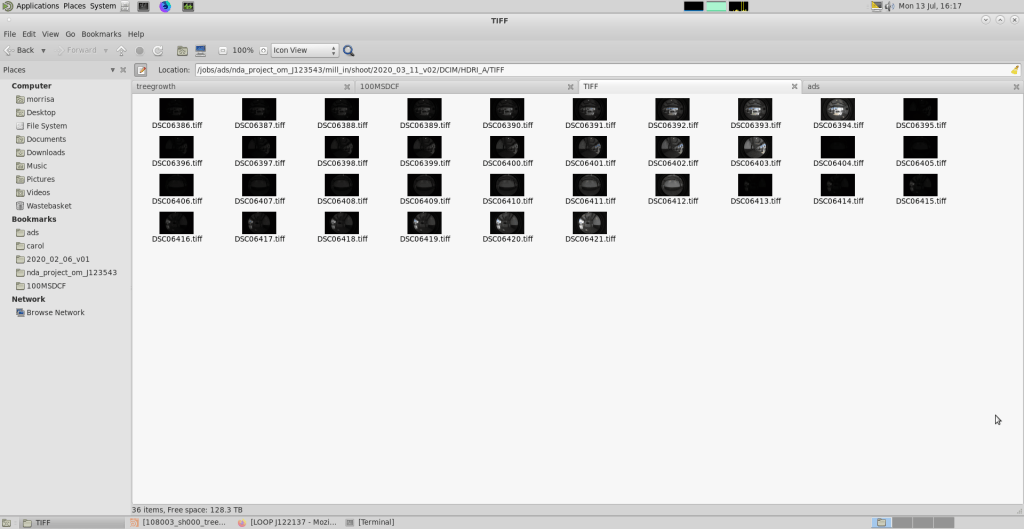
Like any data management system you can move files around the internal system using cut, copy and paste as normal. Tools have been built for converting specific files into suitable formats such as RAWKMAN which we use to convert ‘RAW’ files into ‘TIFF’ files to be used to make HDRIs. All files are renamed renamed in the process of conversion. The size of the file changes with type also. The original ARW files are very large and through the conversion to TIFFs become a smaller file essentially resizing them in conversion. I have done this on many occasions, creating HDRIs for the HP job and the Three job being my biggest with several locations to make them for. Meaning I had to create and name folders for each location and the also separate the different rooms or areas of each location into their own folders too. The usage of data used by each employee user is tracked and regimented in some aspects. Each user has a specific amount of data storage space allocated and when that space is used up an email is sent to inform the user of that.
As can be seen below each user has an amount of the server data that is assigned to them. This is how you monitor it at the bottom of the screen. If you were to use it all you would receive an email that is reporting your data usage to tell you that you have used your assigned amount. This has happened to me when caching very large simulations in Houdini. I was tracking their sizes but didn’t account for the resolution I was aiming for.
I had to manoeuvre through the database system when I created a wand for the Wizards Unite job. I created the model and saved it in the ‘model’ scene inside the arbitrary ‘build’ folder created when the job was created in Miasma. I then textured and look developed the wand in the ‘lookdev’ scene. Once the asset was created the riggers created a simple rig for it in their ‘rig’ scene. At this point a ‘render’ scene is created for the wand and it is appropriately lit. This is where you may find that the textures need to be tweaked to better fit the actual scenes lighting and shot composition. This meant returning to the ‘lookdev’ scene versioning up and making the modifications. when I returned to the ‘render’ scene I now have to version up the asset in the scene to the now updated, newly modified asset. This how the database handles all unstructured data situations through pipeline, structuring the data.

